
Details Pop-Up
Updated 2025-04-01
When logged-in as the host, click the 3-dot menu in the top-right, and select “Details”.
The ‘Event Details’ provides information about your LiveShare Event, as shown below:
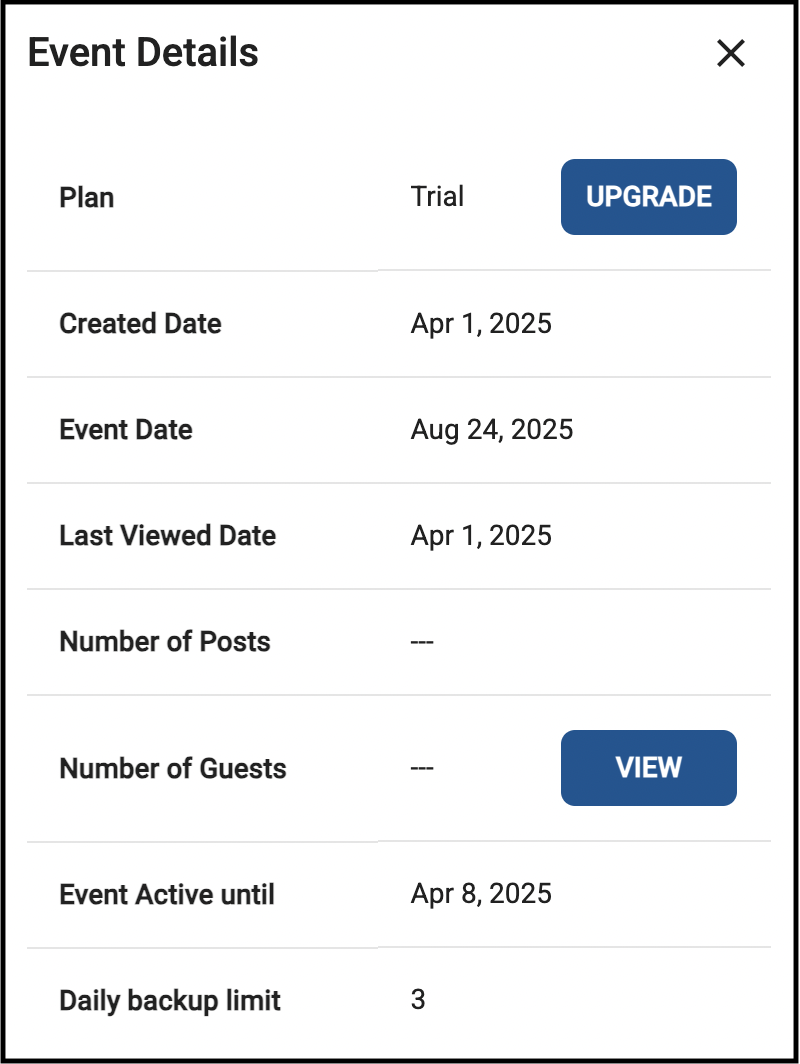
- Field Descriptions:
Plan: Displays the current Plan: Trial, Standard, Premium, Premium Plus
Created Date: Date this event was created
Event Date: Date of your event (e.g. wedding, birthday, graduation)
Last Viewed Date: The last date the event was viewed
Number of Posts: The number of posts (Photos, Messages, Videos, etc) uploaded
Number of Guests: The number of guests which logged in to upload/post
Event Active Until: The date the event will expire and will no longer be accessible
Daily Backup Limit: The max zip files you can create to download photos