
How do I edit the Event Details?
Updated 2024-04-16
There are two options for editing the Location, Contact an Itinerary.
- Click the LiveShare icon or the Details button at the bottom of the Event Header Photo. Enter the event’s location, an email and/or phone number, and event’s itinerary.
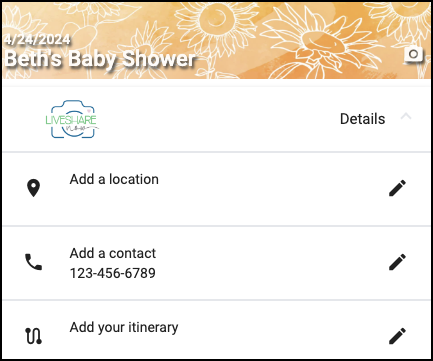
You can also enable/disable one or more of these, and edit them in the settings.
Click the settings icon, and edit Location, Contact and Itinerary in the settings.