
How do I delete a photo?
Updated 2024-02-07
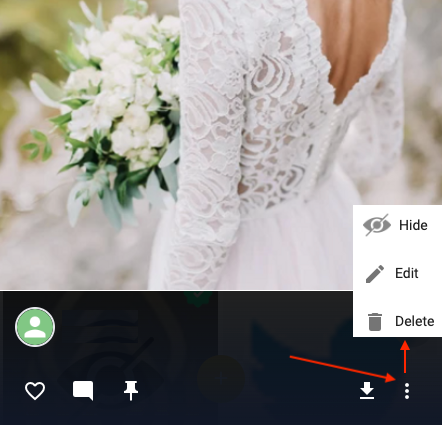
In your timeline, click or tap on the photo you wish to delete. Then in the bottom right, click the 3-dot menu and select ‘Delete’, as shown below.
Updated 2024-02-07
In your timeline, click or tap on the photo you wish to delete. Then in the bottom right, click the 3-dot menu and select ‘Delete’, as shown below.