
When will my Event expire?
Updated 2024-02-16
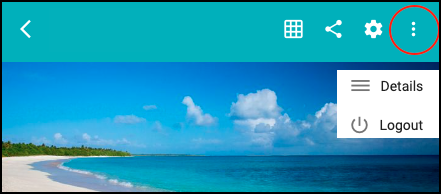
- To view the date your Event expires, click on the 3-dot icon and select ‘Details’, as shown below.
- At the bottom see the ‘Event Active Until’ date, as shown below.
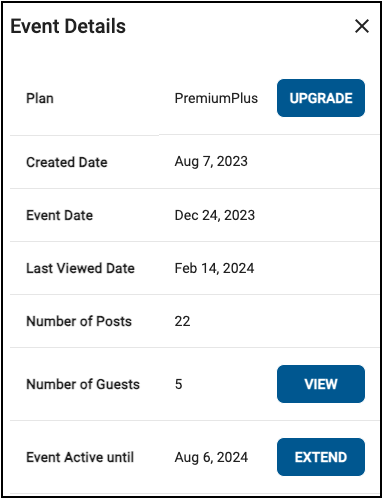
If you want to upgrade, click ‘Upgrade’ to select a plan.
If you want to extend the expiration date of your current plan, click ‘Extend’.