How do I upgrade my Event?
Updated 2024-04-30
Before you Upgrade
Before upgrading review your options in our ‘Plans and Pricing’ FAQ.
Read our FAQ on ‘Which plan is best for me?’
Understand the features in each of our plans: Standard, Premium, Premium Plus
Review our FAQs in our ‘Purchases & Partners’ section.
Upgrading from a Trial Event
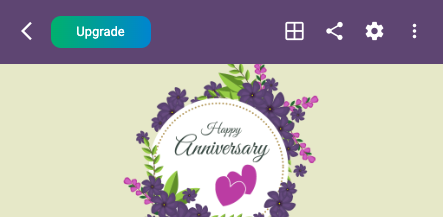
- To upgrade click the ‘Upgrade’ button as shown below:
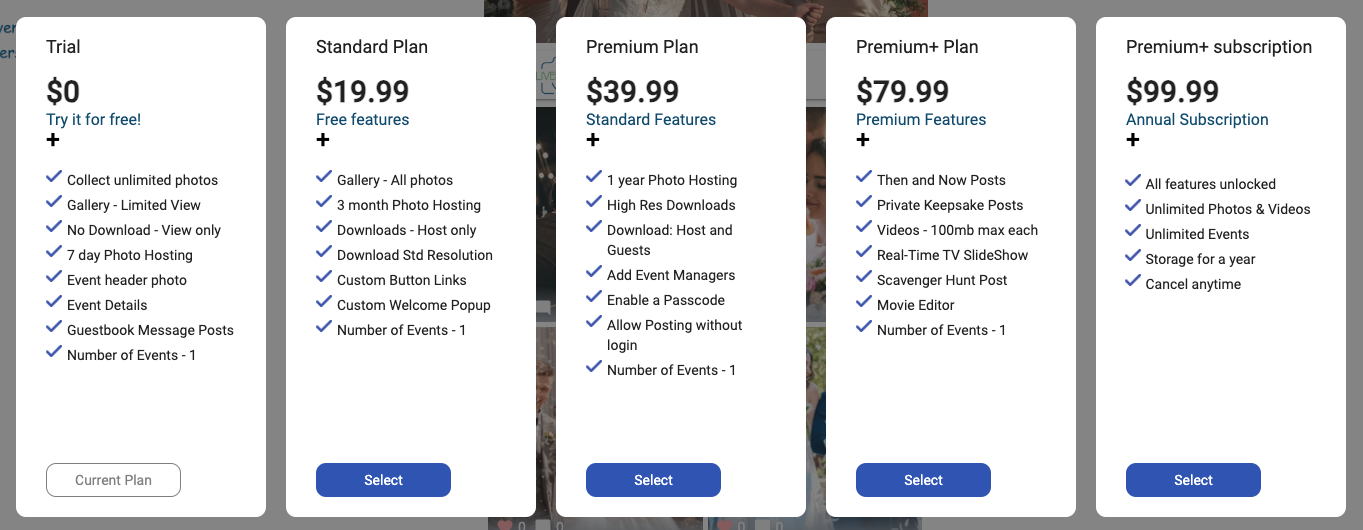
- Review the plan features and click ‘Select’ on the plan you want to purchase.
Can I upgrade again?
If you’ve already upgraded, the Upgrade button won’t be displayed.
To upgrade, click on the 3-dot menu icon in the top right and select ‘Details’.
The current Plan is shown in the top row. Click on the ‘Upgrade’ button to the right.
For complete details see our FAQ.